Home
 Kundli
 Kundli Matching
 Panchang
 Blogs
 Policies


1Tap the menu icon
Open the side menu
From the Home screen, tap the menu icon at the top-left corner.
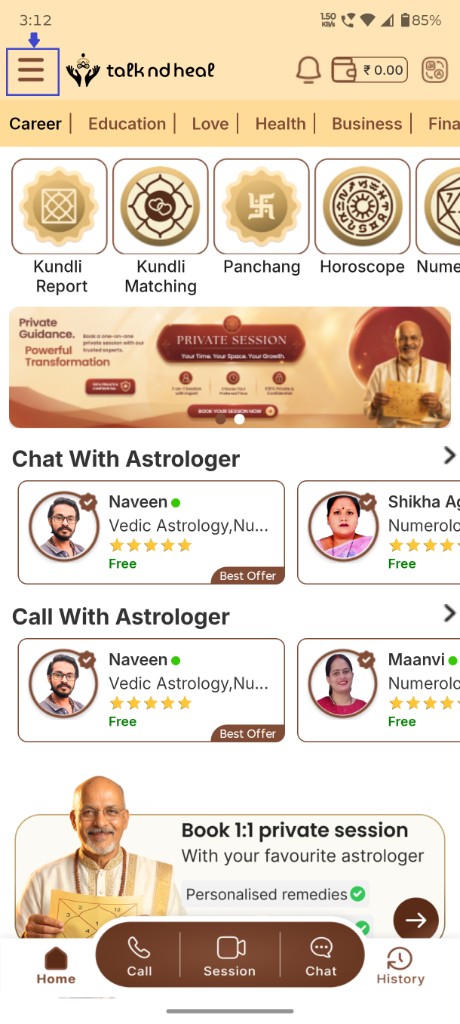
Tap the menu icon on Home → open My Account → tap Delete Account.
From the Home screen, tap the menu icon at the top-left corner.
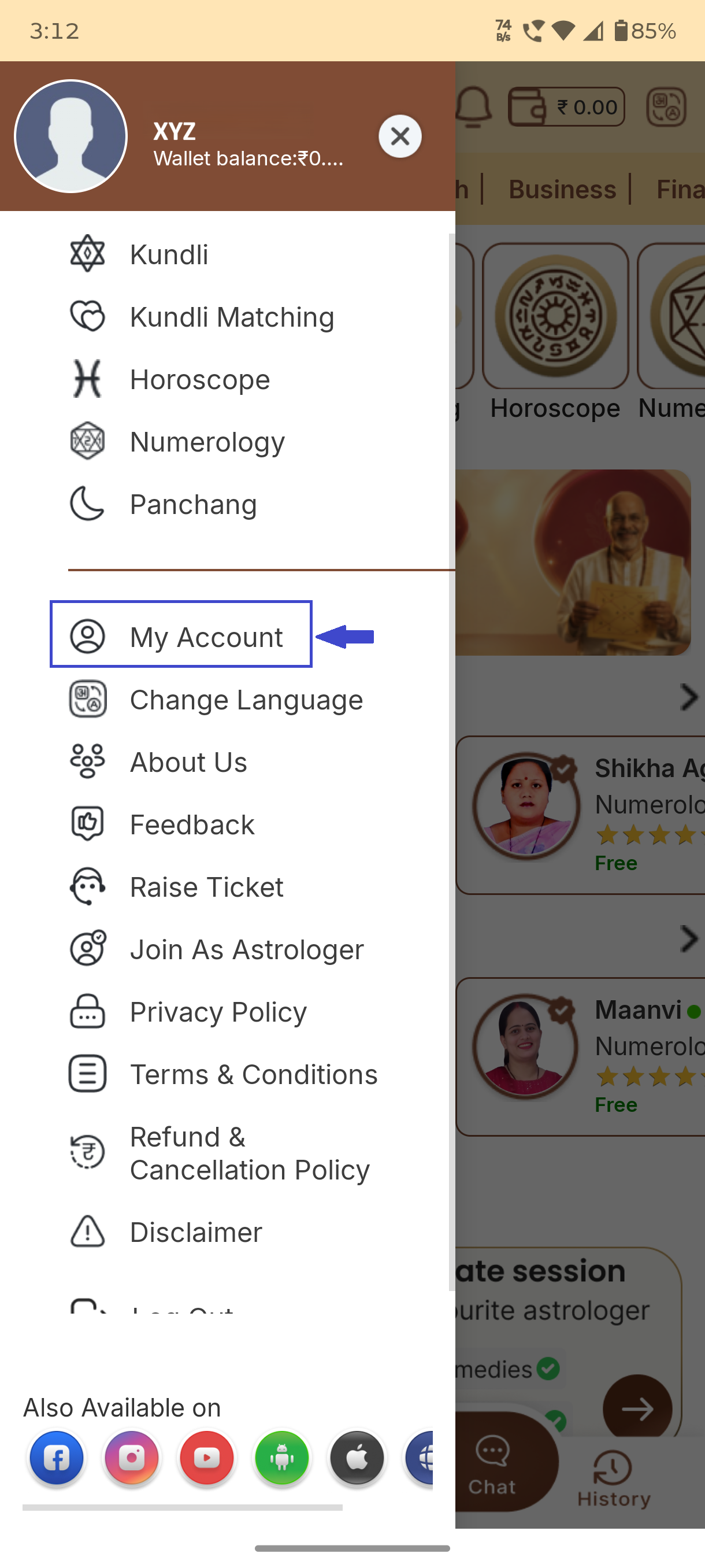
In the side menu, tap My Account to open your profile.
On My Profile, scroll to the bottom — below Logout you will see Delete Account in red. Tap it to permanently delete.
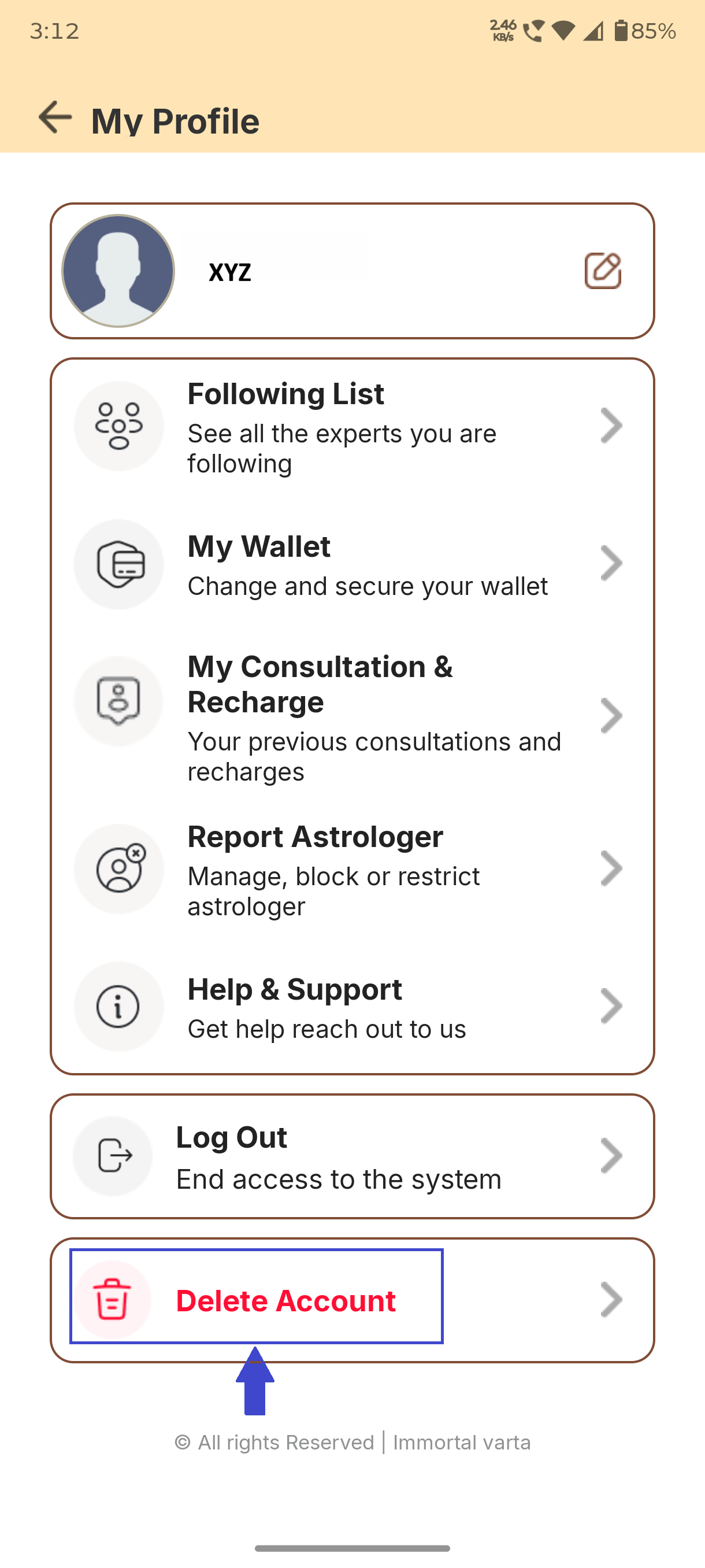
Deleting your account permanently removes your Talkndheal profile and cannot be undone.